While accessing Active Directory users and computers (ADUC), it can be observed that Microsoft has used user-friendly names for the input fields. These fields are mapped to the LDAP (Lightweight Directory Access Protocol) attributes. You can access the hidden tab within the ADUC which will list all the attributes and their respective values.
The reason for understanding and learning about these attributes is that it will be essential when creating a script or a program. You can find these field mappings in the tabular columns below. Also, visual aid have been provided to get a clear understanding.
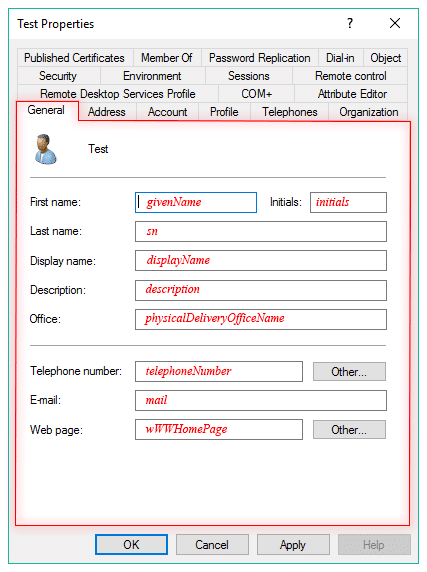
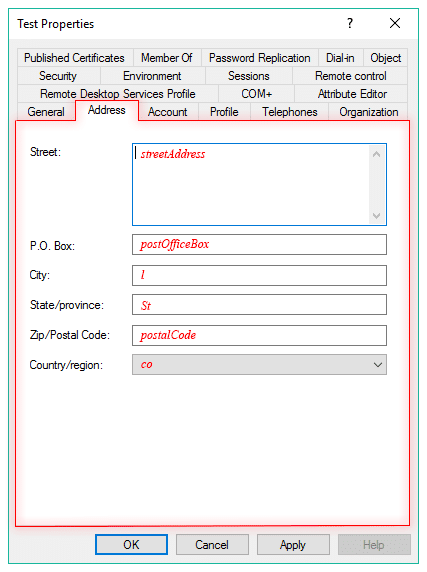
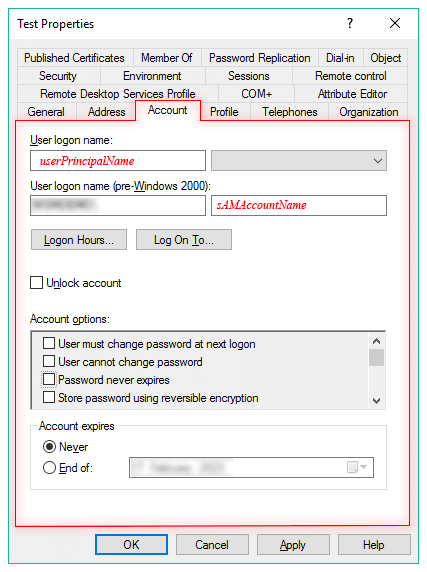
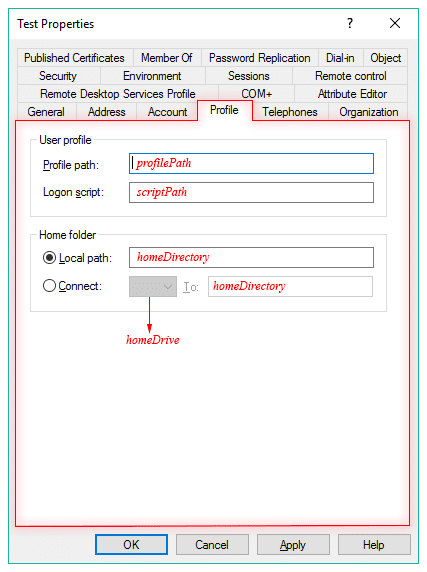
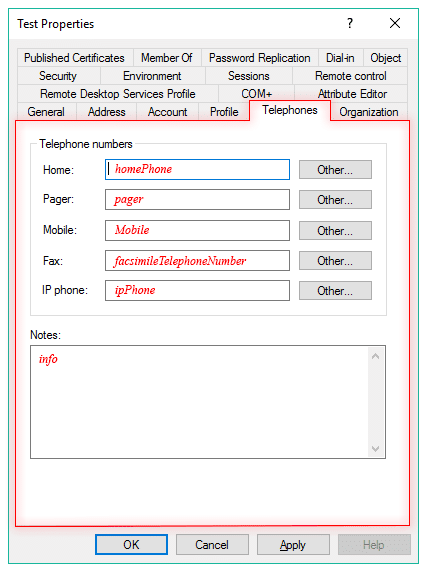
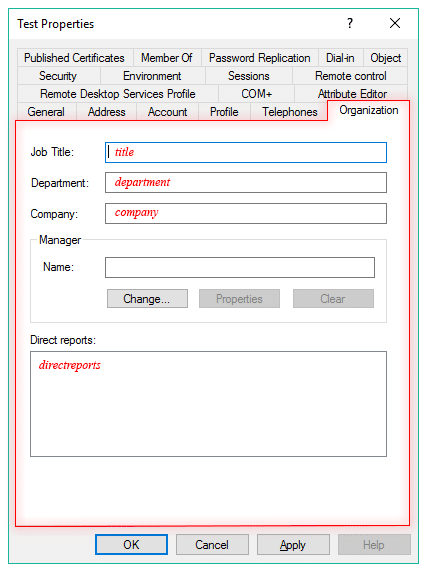
LDAP Field Mappings:
| TAB | Active Directory Field | LDAP Attribute |
| General | First Name | givenName |
| General | Initials | initials |
| General | Last name | sn |
| General | Display name | displayName |
| General | Description | description |
| General | Office | physicalDeliveryOfficeName |
| General | Telephone number | telephoneNumber |
| General | ||
| General | Web page | wWWHomePage |
| Address | Street | streetAddress |
| Address | P.O Box | postOfficeBox |
| Address | City | l |
| Address | State/province | St |
| Address | Zip/Postal Code | postalCode |
| Address | County/region | co |
| Account | User logon name | userPrincipalName |
| Account | user logon name (pre-Windows 200) | sAMAccountName |
| Profile | Profile path | profilePath |
| Profile | Logon script | scriptPath |
| Profile | Local path | homeDirectory |
| Profile | Connect | homeDrive |
| Telephones | Home | homePhone |
| Telephones | Pager | pager |
| Telephones | Mobile | Mobile |
| Telephones | Fax | facsimileTelephoneNumber |
| Telephones | IP Phone | ipPhone |
| Organization | Job Title | title |
| Organization | Department | department |
| Organization | Company | company |
| Organization | Manager | manager |
| Organization | Direct Reports | directreports |







