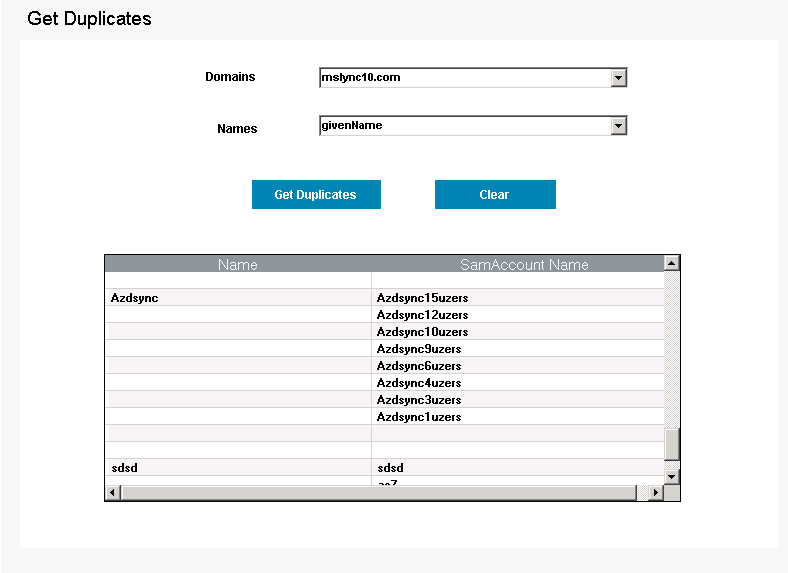
Get Duplicates is a Powershell utility that is useful for administrators to identify duplicate entries for Active Directory attribute(s) in the domain. Duplicate entries are listed out on a convenient interface which helps administrators to ensure a duplicate free Active Directory.
Pre-requisites to using the tool:
- There must be a connection to the Domain on which LDAP query is used.
How to get Duplicate AD attributes using ‘Duplicates Identifier’ tool?
- Click on Get Duplicates (Under AD User Reports)
- Select the Domain.
- Select any of ‘sn’,’giveName’, ‘displayName’, ‘userPrincipalName’ for which duplicates are to be reported.
- Click on Get Duplicates.
This lists the duplicates for the selected attribute.
Note: The ‘Advanced’ button will help you generate results for more attribute in the Domain in accordance with the user’s query.
Run ‘Get Duplicate Tool’ using Powershell:
- The ‘Get Duplicates Tool” can also be run as a PowerShell cmdlet by executing the below command on a command prompt.
- ‘add-PSSnapin ‘GetDuplicates’ followed by ‘Get-GetDuplicates’.