

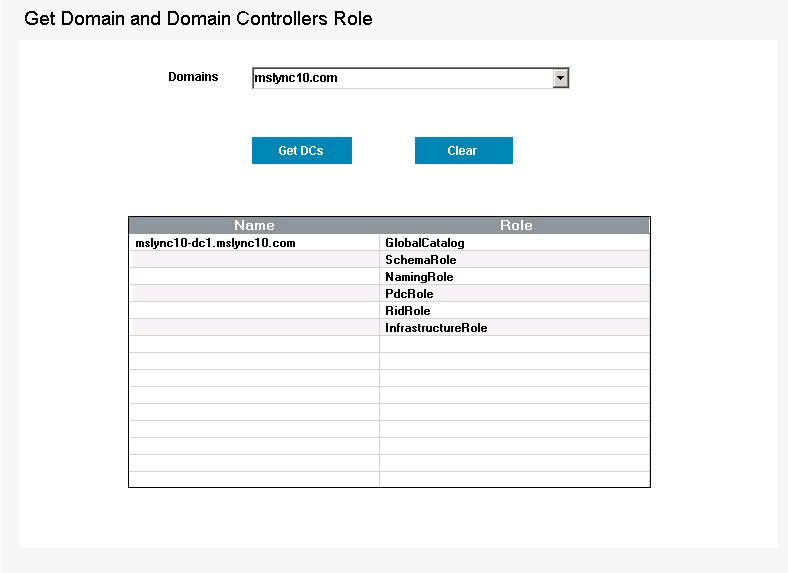
This freeware from ManageEngine ADManager Plus lists all the Domain Controllers and their corresponding roles in the Domain. It also assists the administrator in identifying any associated role of a Domain Controller.
How to use this Tool?
- Click on Get Domain and DC (Under Domain / DC Info )
- Select the Domains
- Click on ‘Get DCs’ button to get the list of Roles available for various Domain Controllers in the selected Domain.
Run ‘Get Domains and Domain Controllers Roles’ using Powershell:
- You can also run the cmdlet in Powershell by executing the below commands.
- ‘add-PSSnapin GetDomains’ followed by ‘Get-Domains’.

Why should you consider this tool?
- It comes packaged along with several useful Active Directory utilities.
- Easy identification of Domain Controller Roles helps in making best use of those Servers.
- Simple, easy-to-use, fast and the best part: this comes to you at ZERO cost.
Instead of utilizing multiple tools, Domain Controller Roles Reporter lists each DC in your AD structure as well as their assigned roles; all in one easy to view list. Imagine obtaining all of your DC roles in less than a minute. That is easily obtainable with this tool. – Jeremy Moskowitz