

ManageEngine ADManager Plus‘s ‘Active Directory Replication Manager’ is a free tool that enables an administrator (or an equivalent domain user) to force the ‘Replication’ of data in a Domain or the Entire Forest. The ‘AD Replication Manager’ also allows replication of data between two Domain Controllers. This powershell cmdlet tool also lists comprehensive reports on the last replication of Active Directory data.
How to use this ‘Active Directory Replication Manager’:
- Double click ‘Active Directory Replication Manager’ icon to start the tool.
- In the Replication tab,
- To replicate within the entire forest:Select ‘Entire Forest’ option and Click on ‘Replicate’ button.
- To replicate within a Domain: Select the ‘Domain’ option; choose a Domain from the drop down menu and Click on ‘Replicate’ button.
- To save the replicated information, click on ‘Save’; you will be asked to enter the appropriate values for the ‘SQL Server Authentication’.
- In the Replicate Two DC’s tab,
- To replicate between two DC’s, select the ‘Source’ and ‘Destination’ DC’s and click on ‘Replicate’.
- To save the replicated information, click on ‘Save’; you will be asked to enter the appropriate values for the ‘SQL Server Authentication’.
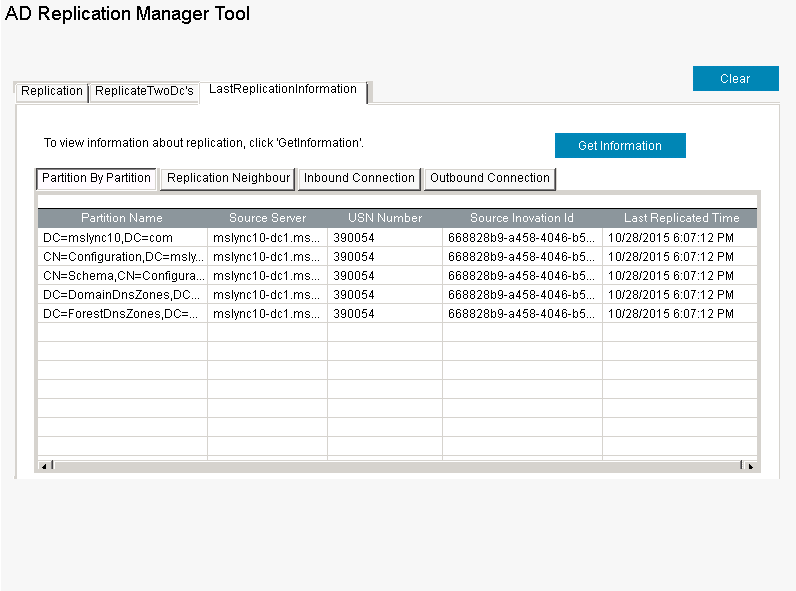
- In the ‘Last Replication Information’ tab, click on ‘Get Information’, to view the last replicated information.
Run ‘Active Directory Replication Manager’ using Powershell cmdlet:
- This freeware can also be run as a PowerShell cmdlet by executing the below commands on a command prompt.
- ‘add-PSSnapin ReplicationManager’ followed by ‘Get-ReplicationManager’.

Why consider this ‘AD Replication Manager’?
- You can manually ‘Replicate’ Active Directory data in a Domain or the entire forest.
- You can perform manual ‘Replication’ of data between the selected Domain Controllers, ensuring consistency of data available across DCs.
- You can list the last ‘Replication’ information across Connections, Neighbours and Partitions.
- Simple, convenient, saves time and is also 100% free.